How to write a monitoring prompt that knows the difference between "the page changed" and "the thing I care about changed"
Most monitors alert when a page changes. Here's how to write a prompt that alerts when the thing you care about changes. Five rules, the research behind them, and worked examples you can copy.
You set up a monitor on a competitor's pricing page and wrote "watch the pricing page." Two weeks later you have eleven alerts: a "most popular" badge that moved one column, a currency toggle someone flipped, a logo strip that rotates on load, and one alert, buried at number seven, where the Pro tier went from $12 to $15 per seat.
The obvious fix is to keep adding exclusions. Ignore the banner. Ignore the footer. Ignore the testimonials. That doesn't work for long, and there's research on why (we'll get to it). You can't out-ignore a noisy page.
Your prompt is a decision, not a description.
What a monitoring prompt actually is
Every time a monitor on the semantic tier runs, one model check reads the fresh page against the last snapshot plus your sentence and answers exactly one question: did the described change happen? Yes or no, with a summary sentence, before/after excerpts, and a confidence score.
So your prompt has a job with hard edges. It has to return yes or no on a page you have not seen yet, on a day you're not thinking about it.
That's different from a search query. A search query returns a ranked maybe and you sort it out. A monitoring prompt draws a boundary, and at 3am, while you're asleep, something falls on one side of it or the other.
Judging versus filtering
There are two ways to build this, and the difference shapes what your prompt can do.
The common design is detect, then classify: a diff fires first, then a model reads the before/after and your instructions and decides whether the change was important. Visualping's analyzer works this way and documents it clearly. Change detected, AI reads the diff, AI reads your prompt, binary decision, tag and route. It's a solid architecture and they run it at real scale.
That has a consequence. In that shape, your prompt can only ever suppress. It can silence something the diff already raised. It cannot ask a question the diff wouldn't have triggered.
modsignal judges on every run instead. Fresh page, last snapshot, your sentence, one answer. That means a prompt can catch something that produces almost no textual diff, and it means an exclusion is rarely the tool you need. Different starting philosophy, not a defect in theirs. We wrote up the full comparison on our Visualping alternative page, with pricing verified against their public pages in July 2026. Check their site for current numbers.
The five parts of a prompt that works
Every good monitoring prompt we've seen has these, whether or not the author knew they were writing them.
- The subject. The specific thing, not the page. "The monthly price of the Pro plan," not "the pricing table."
- The event. A verb. Added, removed, increased, shortened, renamed, deprecated. "Changed" is the weakest verb available and it's the one everybody reaches for first.
- The threshold. How much counts. "Any change of $1 or more" behaves very differently from "any change."
- The scope. One event per monitor. If your sentence has an "or" holding together two unrelated things, that's two monitors.
- The evidence you'd accept. What you'd need pasted into a ticket to act without reopening the page. Name it, and the alert tends to contain it.
Five rules follow from those parts.
1. Describe the change, not the page region
Bad:
Watch the middle section of the pricing table.
Good:
Alert me if the monthly price of any listed plan changes, or if a plan is added or removed.
Page regions move. A redesign shifts your "middle section" two divs to the left and your monitor either goes quiet forever or starts reporting layout. The change you care about survives the redesign because it was never about layout.
This is also how the visual picker and the prompt split the work. Clicking a section on the page narrows where we look. The prompt decides what counts. They're not the same job, and doing the second one with the first is where most noisy monitors come from.
2. Write what counts, not what to ignore
Here's the evidence part.
Language models handle negation badly, and it's not a rounding error. MIT-reported work on vision-language benchmarks found retrieval performance dropped by nearly 25 percent on negated captions. Truong et al., in Language models are not naysayers (*SEM 2023), found models fail to reason under negation and that making the model bigger doesn't fix it. Instruction tuning helped. Scale didn't. A January 2026 audit describes the same failure mode: the model attends to the concept in the sentence and drops the "not."
Which means this prompt is working against you:
Alert me on pricing changes. Ignore the cookie banner, ignore the footer, ignore the "most popular" badge, ignore the testimonial carousel, ignore the currency switcher.
You have just written five clauses naming cookie banners, footers, badges, testimonials and currency switchers, and one clause about prices. The one thing you want is outnumbered five to one.
Rewrite it positively:
Alert me if the listed monthly price of any plan changes, or if a plan is added, removed, or renamed.
The footer never comes up, because a narrow positive description has no room for a footer in it. The exclusions weren't wrong exactly. Inside a detect-then-classify pipeline they're the rational move, because suppression is the only lever you have. They're just not the strongest sentence you can write when the model is judging from scratch each run.
It's easier to say what you want than to enumerate the world.
3. One monitor, one yes/no question
It's tempting to write one prompt covering five competitors, or one prompt covering "pricing, packaging, or positioning." Don't.
The evals world arrived at the same conclusion from the other direction. Hamel Husain's LLM-as-judge guide argues for binary pass/fail over 1–5 rating scales, because the difference between a 3 and a 4 isn't actionable and a scale lets the judge hide in the middle. The Pragmatic Engineer's writeup on evals reports the same practice among expert labellers: PASS/FAIL, not points.
A monitoring prompt is a judge that runs on a schedule. Same physics. One sentence can only draw one boundary cleanly.
The practical payoff: with five monitors on five competitors, the alert subject line tells you which page moved before you've read a word of the body. With one monitor covering all five, every alert starts with a question.
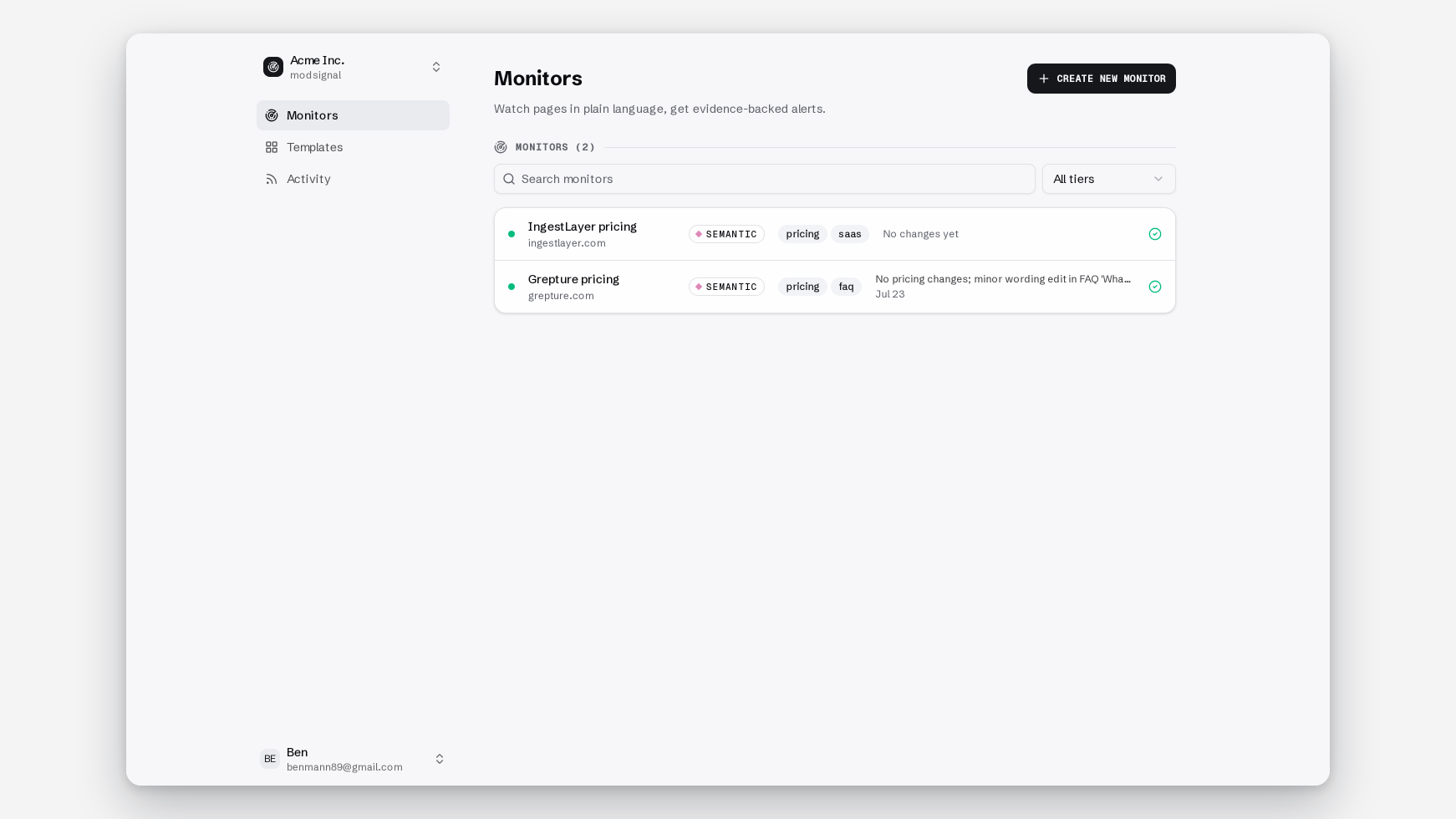
A monitor is one URL plus one prompt plus one tier, and they're cheap in every sense. Free gives you 3, Pro gives you 25. Splitting is almost always the right call.
4. Put the number in the sentence
"Alert me if the price changed" will fire when $25/mo becomes $25 / month. Nothing changed. The string did.
Alert me if the monthly per-seat price of any plan changes by $1 or more.
Now a competitor moving from $12 to $15 per seat fires, and a currency toggle re-rendering the same number doesn't. Same for time: "if the free trial length changes" is fine, "if the free trial length is shortened by 3 or more days" is better if you only care about the meaningful cut, and catches a trial quietly dropping from 14 days to 7.
Thresholds are what turn a maybe into a yes. They're also, in our experience, the single most common thing missing from a prompt that produces mid-range confidence scores. The model reads the page fine. It just doesn't know your bar.
5. Write it so a colleague could run it by hand
Anthropic's stated golden rule of prompting is to show your prompt to a colleague with minimal context. If they'd be confused, the model will be too. That transfers directly, with one addition.
Your prompt has two readers. The model, and the teammate who gets the alert.
Our bar for an alert is that you can forward it or paste it into a ticket without anyone reopening the page. That bar is set by the prompt, not by us. "Something changed in the pricing area" cannot produce a forwardable alert no matter how good the evidence rendering is. "The Pro plan's monthly per-seat price changed from $12 to $15" produces one automatically, because the sentence already contains the shape of the answer.
If a colleague couldn't execute your prompt manually with a browser and two minutes, the alert it generates won't be forwardable either.
When the right prompt is no prompt
Here's the part nobody selling AI monitoring says out loud.
For some pages the correct answer is the exact diff tier: byte-for-byte text comparison against the last snapshot, no model call at all, evidence is a unified diff, the plain-text list of the lines that were added and removed. No prompt. No judgment. Identical text is silence, and any difference at all is an alert.
That's the right tier when every change matters and the page is quiet: DPAs, subprocessor lists, API specs, regulatory registers, standard terms. On those pages a prompt only introduces a judgment call you never wanted made.
Nobody A/B tests a DPA.
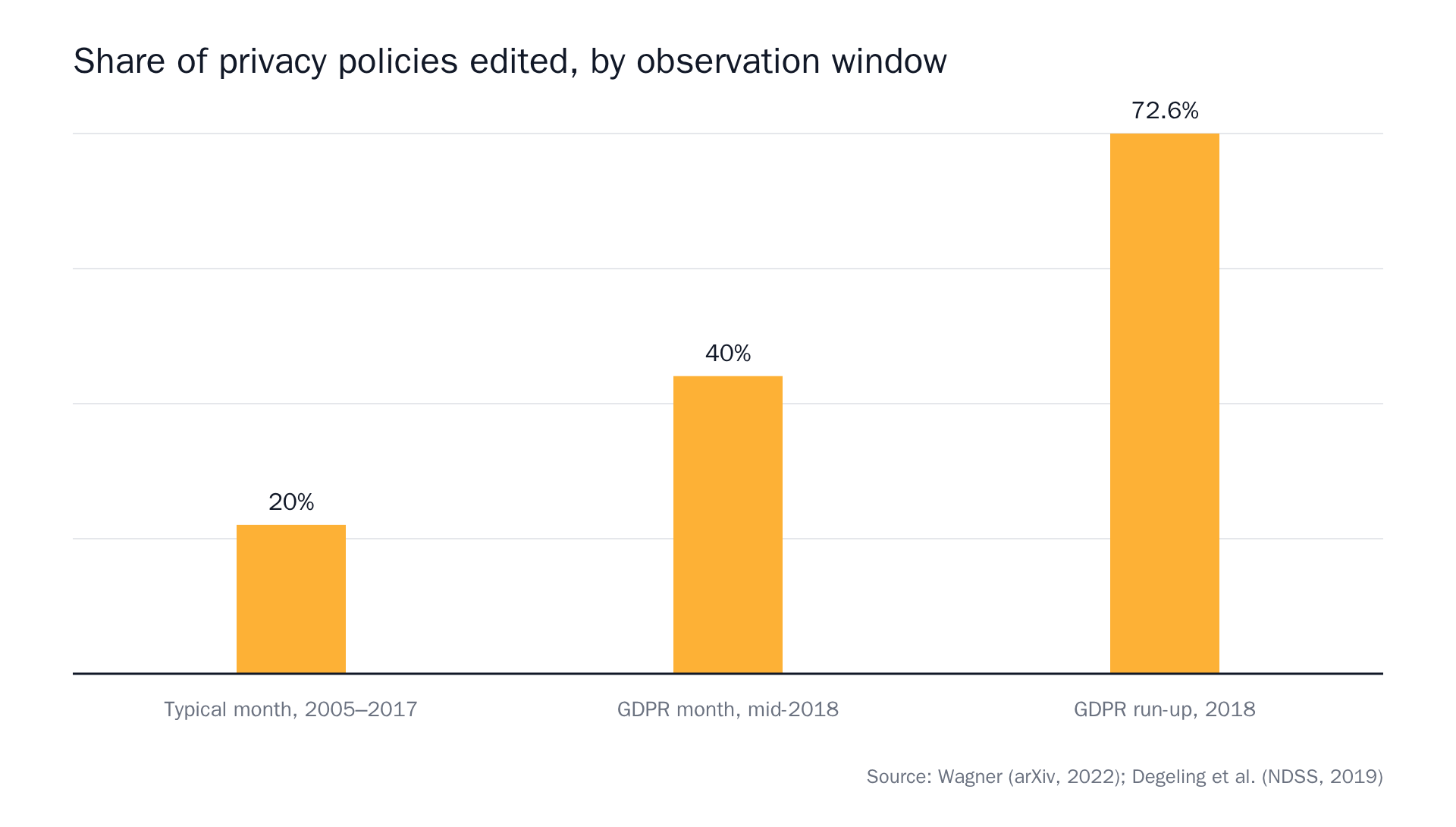 Source: Privacy Policies Across the Ages: Content and Readability of Privacy Policies 1996–2021, We Value Your Privacy … Now Take Some Cookies: Measuring the GDPR's Impact on Web Privacy.
Where exact diff struggles is the mirror image: point it at a marketing page with a testimonial carousel and it will faithfully report every rotation. That's not a bug in the tier, it's the wrong tier for the page. We went through the whole trade-off in our post on choosing a check tier, and the subprocessor list guide is the worked example of the diff case end to end.
When the prompt wasn't the problem at all
Two cases where rewriting your sentence won't help.
The page renders client-side. The content arrives via JavaScript after load, so the raw HTML we fetch is nearly empty. Or the content sits behind a cookie wall or a tab that has to be opened.
Test it yourself in ten seconds: view the page source in your browser (the raw source, not the inspector) and search for the price you care about. If it isn't there, no prompt will find it. That's the browser agent tier. Real Chromium, waits for the page to settle, dismisses cookie banners, opens tabs, scrolls, then applies the same semantic judgment and attaches a full-page "page as checked" screenshot.
Switching is a dropdown, not a migration.
Reading the confidence score
Semantic and agent alerts carry a confidence percentage. That's the model's own uncertainty, surfaced rather than hidden. Here's how to read one.
Models are systematically a bit overconfident. One measurement puts average stated confidence around 88% against actual accuracy around 79%. For models at 70B and above, expected calibration error tends to land near 0.1 (confidence off by roughly ten points, in expectation). In the extreme, nominal 99% intervals have been found to cover the truth about 65% of the time.
So treat it as a triage dial, not a verdict:
- 90%+ → act on it. The evidence excerpts will usually make the case on their own.
- 70–90% → read the before/after before you forward it.
- 50–70% → either the page is genuinely ambiguous, or your sentence is.
The useful signal is the pattern, not the individual number. One mid-range score is a page having a weird day. The same monitor sitting at 60% for three weeks is a prompt to rewrite, usually because it's missing a threshold.
Tighten it over three runs, not three weeks
- Ship the narrow version first. If your prompt is too tight, you get silence, and silence is cheap to diagnose. Check the timeline, see what got recorded and not alerted. Too loud is expensive, because it trains you to ignore the channel, and you don't get that trust back quickly.
- Force a run. Hit the run button, or
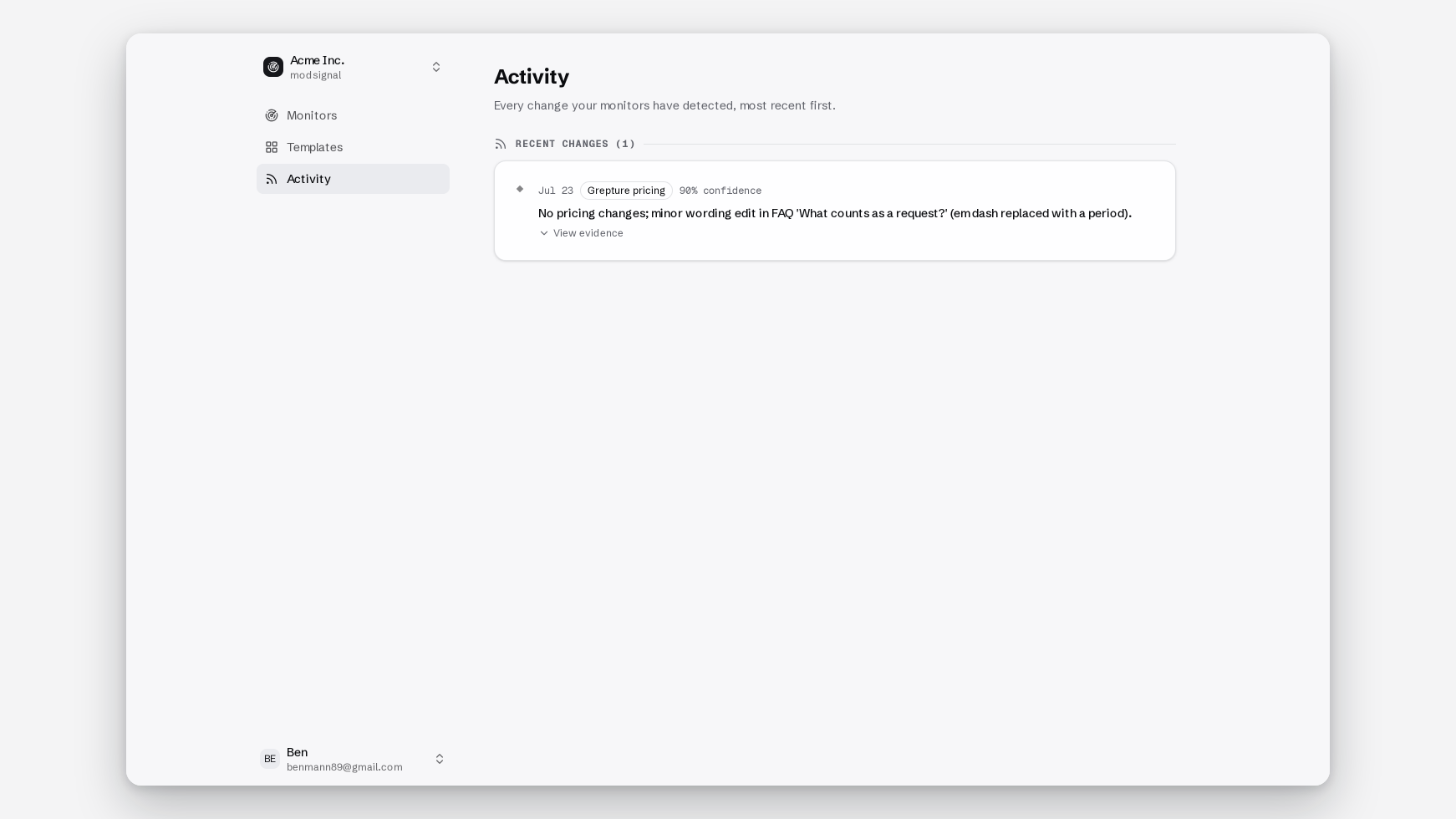
POST /monitors/:id/runon the API, which returns a 202. Checks are never metered on any plan, including Free, so testing a prompt costs you nothing but the seconds. - Read the timeline, not your inbox. The monitor timeline is the source of truth and holds the full change history; email, Slack, webhooks and RSS are copies of it. The interesting entries are the changes that were recorded and not alerted. That's where an over-narrow prompt shows itself.
- Rewrite one clause at a time. Change the threshold or change the subject, not both. Otherwise you've learned that something worked and nothing about what.
Prompts we'd start from
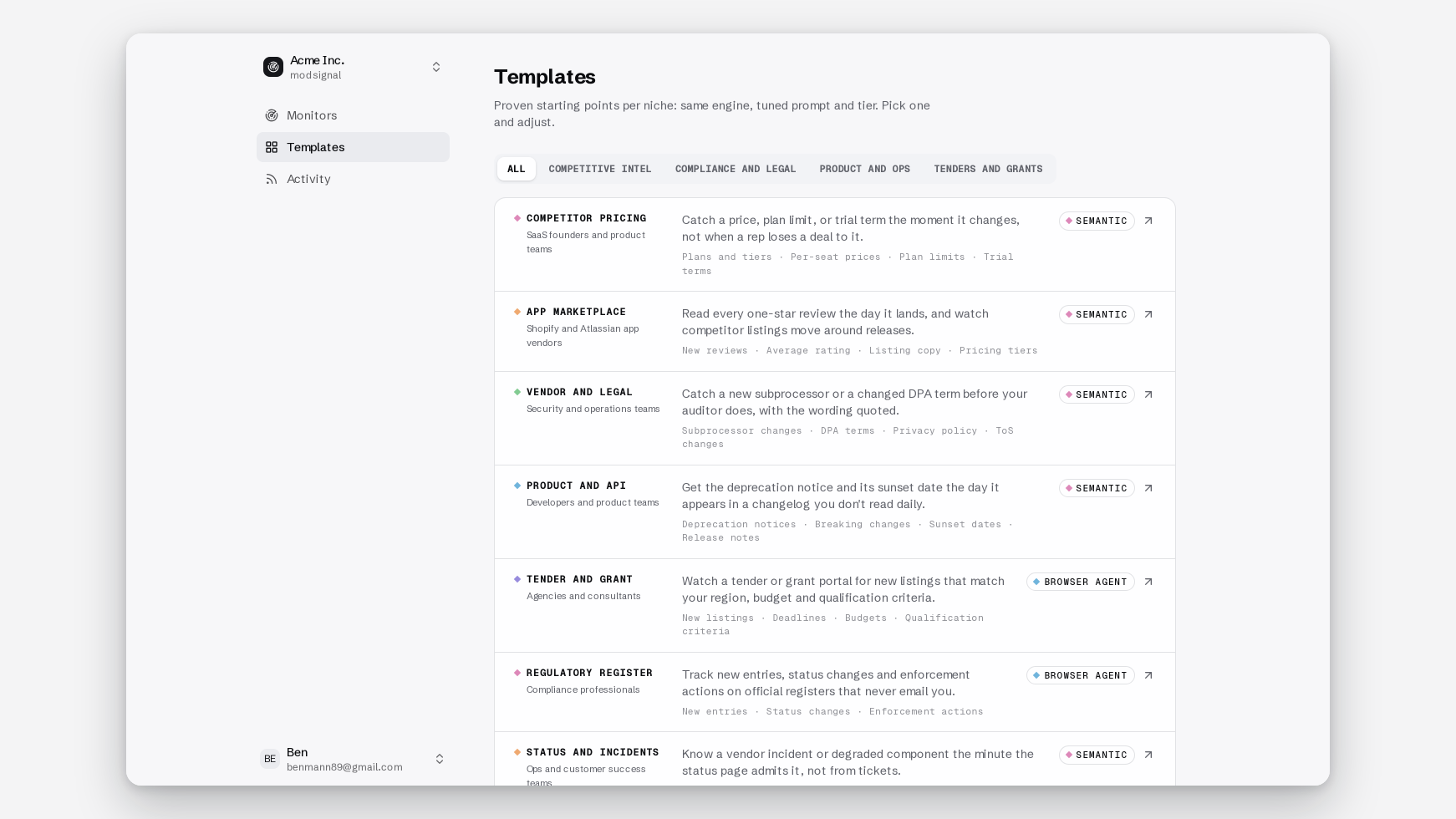
Bad on the left, good on the right, tier in the heading. All of these ship as templates.
Competitor pricing (semantic tier)
❌ Watch the pricing page for changes. ✅ Alert me if the monthly per-seat price of any plan changes by $1 or more, if a plan is added or removed, or if the free trial length changes.
Semantic because pricing pages carry A/B tests and rotating badges, and you want judgment. The full setup is in the pricing page guide.
Subprocessor list (exact diff tier)
❌ Tell me if they add a new subprocessor. ✅ (no prompt)
Every change matters and the page is quiet. The unified diff is better evidence than a summary sentence, because it shows you the exact row that appeared.
API deprecations (semantic tier)
❌ Monitor the changelog. ✅ Alert me if an endpoint, field, or parameter is marked deprecated, sunset, or removed, or if a removal date is announced or moved.
App marketplace reviews (browser agent tier)
❌ Watch the reviews section. ✅ Alert me if a new review of 2 stars or fewer is posted, or if the overall rating drops by 0.1 or more.
Agent because review lists usually render client-side and often sit behind a "load more" click.
Back in stock (semantic tier)
❌ Tell me when it's available. ✅ Alert me if the size-M item's buy button becomes enabled or the "out of stock" label is replaced with an add-to-cart action.
Hiring signals (semantic tier)
❌ Watch the careers page. ✅ Alert me if a new role is posted with "security," "compliance," or "privacy" in the title.
Four security roles appearing in a quarter, including a Head of Compliance, is a sentence you can take to a pipeline review.
The rule underneath all of it
Catching changes is easy. Anything can catch changes. A prompt's job is to earn every alert it sends.
Write the subject, the verb, and the number. Say what counts instead of what to ignore. One question per monitor. And when the page is quiet and every change matters, skip the sentence entirely and let byte-for-byte diff do it.
The free plan is 3 monitors, daily checks, exact diff and semantic, no credit card, and checks are never metered. Enough to run the only test that settles this. Write one narrow sentence, wait a week, and count how many of the alerts you'd have actually forwarded to someone.
Run that test on us. Run it on whoever you're using now.