Visualping vs Distill.io vs changedetection.io: three tools, three definitions of "changed"
Three tools, three definitions of changed: pixels, selectors, text diffs. How each one decides, what it costs, and where each fails. Pricing checked August 2026.
Full disclosure before anything else: we build modsignal, which competes with all three tools in this post. We'll tell you where each of them beats us, with numbers, because the alternative is you finding out on your own after you've paid.
Here's the scene most people are in when they search this. You set up a change monitor a month ago. It has fired 40 times. One of those 40 was the thing you actually wanted, and you found it three days late because by then you'd stopped opening the emails. So now you're comparing Visualping vs Distill.io vs changedetection.io, reading feature tables, and none of them tell you which one will stop paging you.
The tie-breaker isn't the feature list. It's what each tool counts as a change.
The short version
| Tool | How it decides something changed | Free tier | Entry paid | Metered on | AI |
|---|---|---|---|---|---|
| Visualping | Pixels, extracted text, or a picked element ("All" mode does all three) | 5 pages, 150 checks/mo, 60-min floor | $10/mo Personal | Checks per month | Summary + IMPORTANT flag, after detection |
| Distill.io | A region you select, refined with XPath/CSS/regex, filtered by conditions | 25 monitors (5 cloud), 1,000 cloud checks/mo, 30 email alerts/mo | $15/mo Starter | Cloud checks and alerts | No model; rule-based conditions |
| changedetection.io | Text diff of the fetched page, minus your ignore rules | Self-host free (Apache-2.0) | $8.99/mo hosted | URLs and runners | Optional LLM intent rules, after the diff |
Pricing and limits checked August 2026 against each vendor's own pages. Check their sites for current numbers.
Visualping: "did this page look different?"
Visualping is the biggest name here, and it earned that. Their detection has four modes: visual compares screenshots with pixel-level analysis and configurable sensitivity, text extracts and compares the text while ignoring layout shifts, element targets one section you pick, and All runs all three on every check. All is the recommended default.
Then the model gets involved. Per their AI page, every change event on every plan including Free goes through an AI layer that writes a plain-English summary and applies a binary IMPORTANT classification against criteria you set. It can mute the ones it decides don't matter.
Read that ordering carefully, because it's the whole architecture. Detect first, classify second.
Pricing from their own April 2026 post: Free is 5 monitored pages, 150 checks per month, 60-minute minimum interval. Personal starts at $10/month with 1,000 checks and up to 10 pages. Business starts at $100/month with 20,000 checks, 200 pages, shared workspaces, Slack and Teams. One correction we owe them: API access, webhooks and Zapier are on every plan including Free. Only workspaces, Slack and Teams sit behind Business. Credit where it's due, they also publish the "$140 a month for Slack integration?" objection themselves rather than waiting for a reviewer to raise it.
They're also operating at a scale nobody else here is. They reported a sample of 1.8 million active monitors in April 2026, with nearly 30% checking at sub-hourly intervals.
Failure mode: a rotating hero image is a change. So is a cookie banner that renders differently, a "most popular" badge that moves, a testimonial carousel. Visual mode sees pixels moving and does its job perfectly. The AI layer can mute some of that after the fact, but the check that produced it still ran, still counted against your 150 or 20,000, and the noise floor was set before the model ever looked. Our fuller writeup is on the Visualping alternative page.
Distill.io: "did this element I picked change?"
Distill is the power user's instrument. You select partial or complete content from a page, then refine it with XPath, CSS selectors and regular expressions, and you can automate the whole thing with JavaScript. The precision is real: 300,000 users on the Chrome extension, rated 4.49 from 1,459 reviews as of August 2026.
Noise control here is rules, not judgment. Single conditions check whether the selected text contains a number in a range, matches a regex, or contains certain text. Compound conditions combine several with all/any logic. If you can express "changed in a way I care about" as a boolean, Distill will enforce it exactly, forever, without a model in the loop and without a per-check AI cost.
The local/cloud split is unusual. Cloud monitors run on their servers 24×7; local monitors run in your own browser with a check interval as low as 5 seconds. Nobody else on this list gets close to five seconds.
Pricing checked August 2026: Free $0, Starter $15/mo, Professional $35/mo, Flexi from $80/mo. Monitors go 25 (only 5 in cloud) → 50 → 150 → 500+. Cloud minimum interval goes 6 hours → 10 minutes → 5 minutes → 2 minutes. Version history is none on Free, 10 changes on Starter, 20 above.
Failure mode: you are now maintaining selectors. When the vendor redesigns and your XPath stops matching, the monitor doesn't shout. It goes quiet, which looks exactly like "nothing changed." Their own forum carries the other half of the problem: threads on false positives and too many notifications when nothing changed. To their credit they shipped Net Changes for alert conditions specifically to reduce that. More detail on our Distill.io alternative page.
changedetection.io: "did this text differ from last time?"
Apache-2.0, 31.9k GitHub stars, 1.8k forks as of August 2026. Self-host it for free and it's yours. The hosted plan is $8.99/month for up to 5,000 URLs, re-check from around 5 minutes per runner, one real Chrome browser included for JavaScript-heavy sites, European/USA/Tor proxies, and over 85 notification types through the apprise library. Trigger text, CSS/xPath rules and ignore-text filters do the shaping.
If your needs are diff-shaped and you're comfortable with Docker, this is the correct answer for a lot of people. Sincerely.
The update the other comparisons haven't caught: changedetection.io now connects to any LLM (OpenAI, Gemini, Anthropic, Ollama and others) and lets you write a plain-English intent once, like "notify me only when the price drops below $50." The model evaluates each detected diff against that intent and suppresses the rest, and notifications can read "Price dropped from $89.99 to $67.00" instead of a raw diff. It runs through LiteLLM with 100+ providers, or entirely locally against Ollama, vLLM or LM Studio, and it's been in the hosted service since June 2026.
That's the closest architecture on the market to ours, and running the model on your own hardware is a thing we don't offer at all.
Failure mode: it's still a diff underneath. Ignore rules are a maintenance surface, and GitHub discussions like ignore text not working as expected show what that maintenance feels like. The other trap is fetching raw HTML on a page whose content only appears after JavaScript runs. You get a diff of a shell.
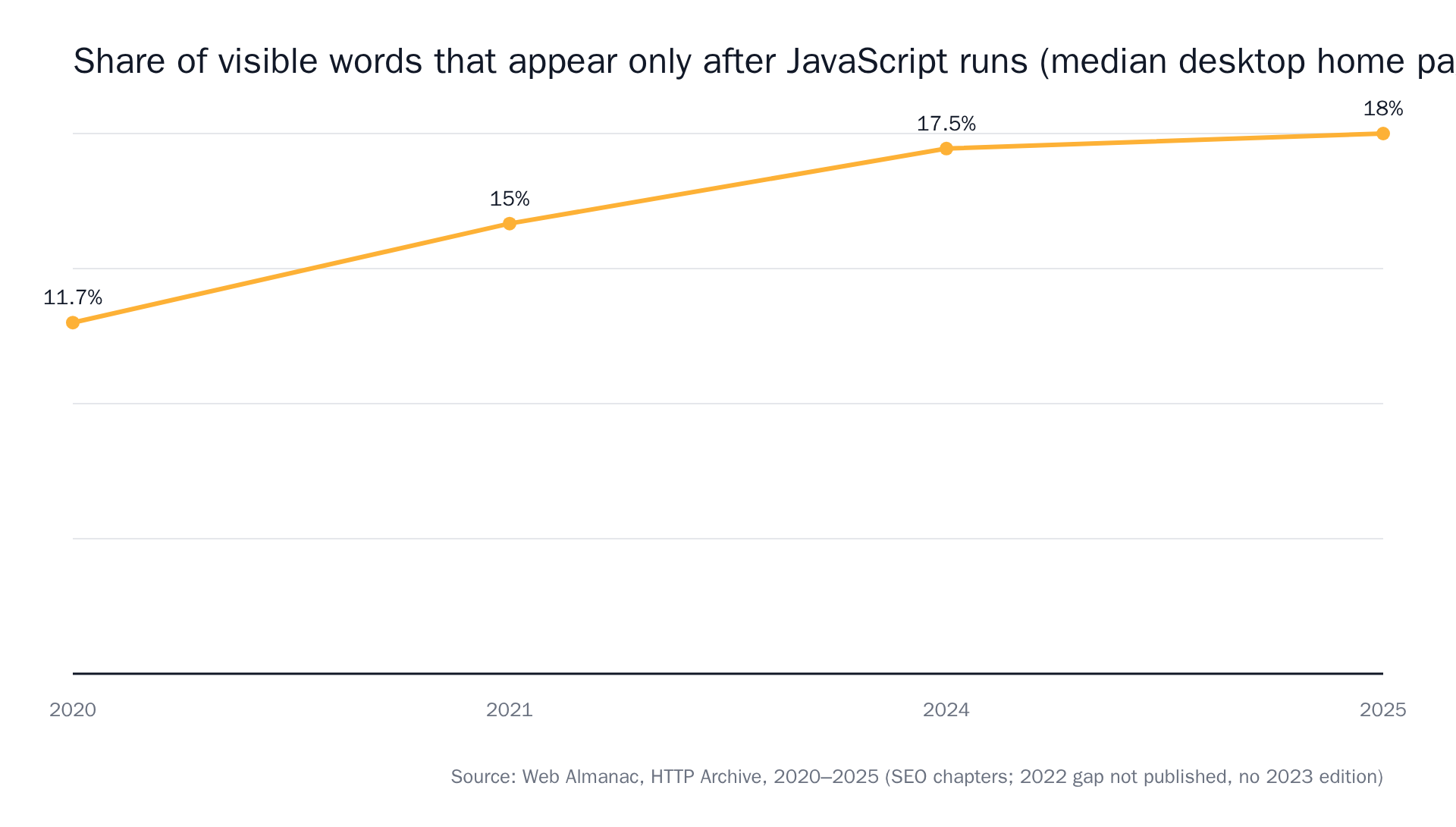 Source: Web Almanac by HTTP Archive, SEO chapters 2020–2025.
Nearly a fifth of the median desktop home page's visible text doesn't exist until the browser runs the scripts. That's why the hosted plan bundles a Chrome instance, and it's the same reason we ship a browser agent tier. If you're evaluating any of these tools on a JavaScript-heavy page, test that first.
They all added AI in 2026. They all added it in the same place.
This is the part the feature tables miss.
Visualping runs its summary and IMPORTANT flag on change events. changedetection.io runs its intent rule on detected diffs. Both are detect-first, judge-second. Distill skips the model entirely and does the same job with boolean conditions, which is more honest about what's happening.
Two consequences follow, and neither is a slur on anyone's engineering:
- A filter can only subtract from alerts the detector already raised. If your noise floor is "any pixel moved," the model's job is to throw away most of what it's handed, every run, forever.
- Anything the detector misses never reaches the model. A price change inside a region your selector doesn't cover, or on a tab the fetcher never opened, is invisible to the smartest filter you can buy.
modsignal starts from the sentence. You write one plain-language line, say "alert me if any plan price changes or a plan is added or removed", and that sentence is the check, not a filter applied to one. Describe the change, not the page region. We wrote up how to phrase that sentence so it doesn't drift separately.
What lands in your inbox
Detection is half the comparison. The other half is what you can do with the alert at 9am on a Tuesday.
A Visualping alert gives you a highlighted screenshot plus an AI summary. A Distill alert gives you the changed text from your selected region. A changedetection.io alert gives you a diff, or an LLM-written line if you've wired one up.
Our bar is that you should be able to forward the alert or paste it into a ticket without anyone reopening the page. One sentence, before/after excerpts or a unified diff, a confidence score, a screenshot on the agent tier, and a link to the monitor timeline that holds the full history.
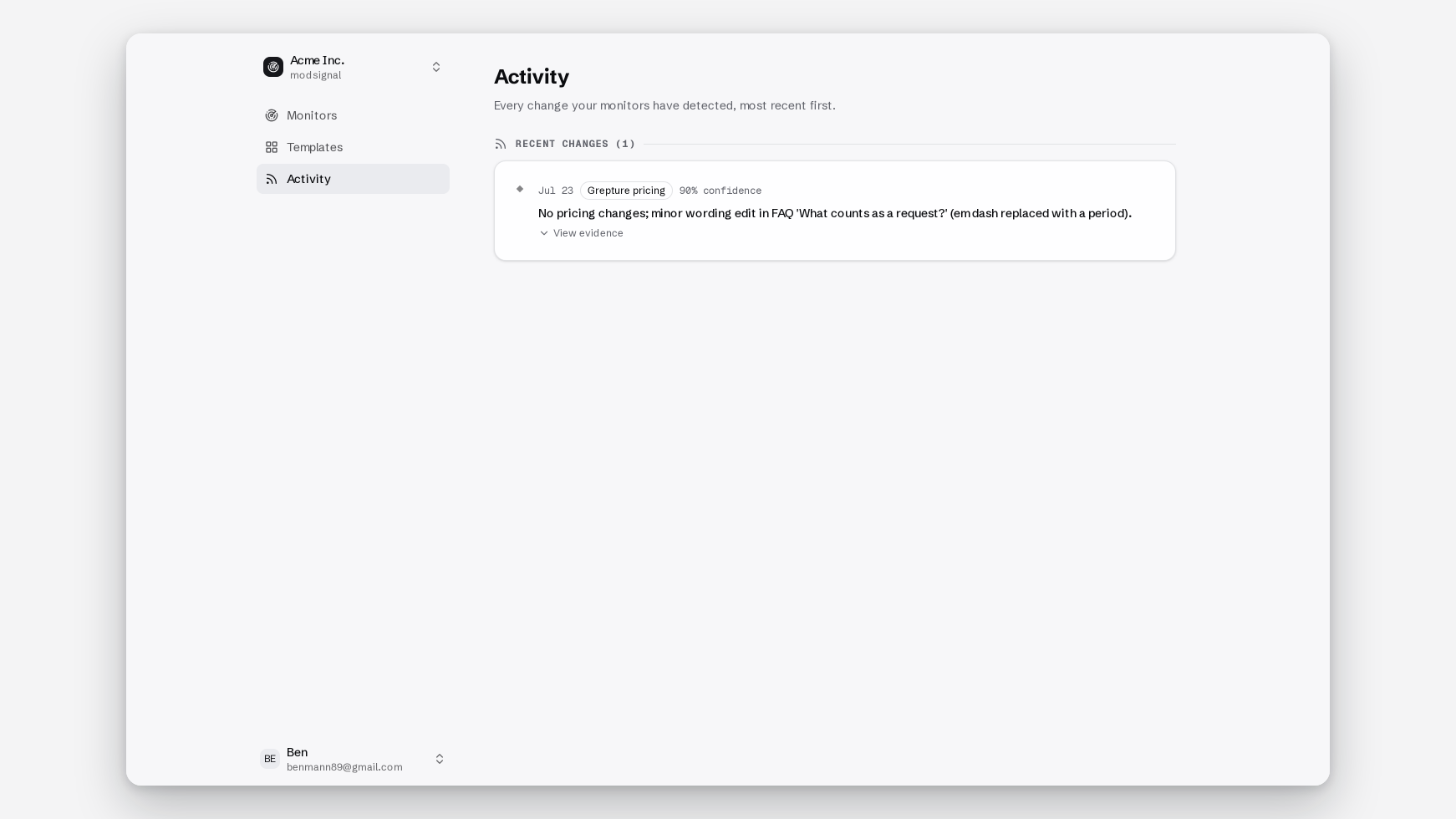
What you're actually being billed for
Visualping meters checks: 150/mo on Free, 20,000/mo on Business. Distill meters cloud checks (1,000 → 200,000+/mo) and alerts (30/mo, email only, on Free). changedetection.io meters neither, but caps URLs and runners.
Metering checks changes your behaviour, and not in a good direction. With 1,000 checks a month across 10 pages, hourly is already off the table on most of them. So you pick daily on the page you care most about, and you find out tomorrow.
We price by reach instead: Free $0 (3 monitors, daily, 2 members), Pro $25/mo (25 monitors, every 15 min, 5 members), Scale $49/mo (100 monitors, every 5 min, 15 members), Business $99/mo (500 monitors, every 2 min, 100 members). Checks are never metered. Full numbers on pricing.
Where modsignal fits
Short version of the mechanism: one URL, one plain-language prompt, one of three check tiers per monitor. Exact diff is a byte-for-byte text comparison with no model call, right for quiet pages like DPAs and subprocessor lists. Semantic runs one model check per run that reads the fresh page against the last snapshot and your prompt, and answers only whether the described change happened. Browser agent launches real Chromium, waits for the page to settle, dismisses cookie banners, scrolls, then applies the same judgment and attaches a full-page screenshot. Changing tier is a dropdown, not a migration.
Where others beat us: no self-hosting, so if data residency or an air-gapped network is the requirement, changedetection.io wins outright. No local checks at 5-second intervals. Distill owns that. No 85-service notification fan-out; we do email, Slack, signed webhooks and a per-team RSS feed, and that's it. Our free plan is 3 monitors, which is fewer pages than Visualping's 5. And our semantic tier surfaces a confidence score because the model is sometimes genuinely unsure, which we'd rather show you than hide.
How to choose
- Comfortable with Docker, needs are diff-shaped, or you want the model running on your own Ollama box → changedetection.io
- Regex conditions, XPath precision, or checks every 5 seconds on your own machine → Distill.io
- You need a visual record of a rendered page for a design or defacement audit → Visualping
- A quiet legal or vendor page where every byte matters → any of these on a text diff will do the job, honestly. Ours is the exact diff tier
- A noisy page where you only want to hear "did this specific thing happen?" → us
The test to run before you pay anyone
Take your noisiest page. Set the same monitor in two of these tools, on the same interval, and leave it a week.
Then count two numbers: alerts received, and alerts you acted on. The ratio is the only benchmark that matters, and it's the one no comparison table on the internet can compute for you. If you want us in that test, the free plan is three monitors with no credit card, and the seven usual causes of a monitor crying wolf are worth reading before you set the first one up.